> ## Documentation Index
> Fetch the complete documentation index at: https://docs.koudingvip.com/docs/llms.txt
> Use this file to discover all available pages before exploring further.
# Google Maps Website Generator: Listing to Website
> Turn a Google Maps business listing into a professional, editable full-stack website with AutoCoder.cc — paste a Share link, review the imported business details, photos, and reviews, and generate the site with one click.
## Turn a Google Maps Business Listing into a Website
Transform a Google Maps business listing into a professional, editable website — without writing code or manually organizing business information.
Simply paste the business's Google Maps Share link. AutoCoder will retrieve the available public information, display it for confirmation, and generate a complete website based on the business listing.
***
## Core Features
* **Google Maps Data Import**: import available business details directly from a Google Maps Share link.
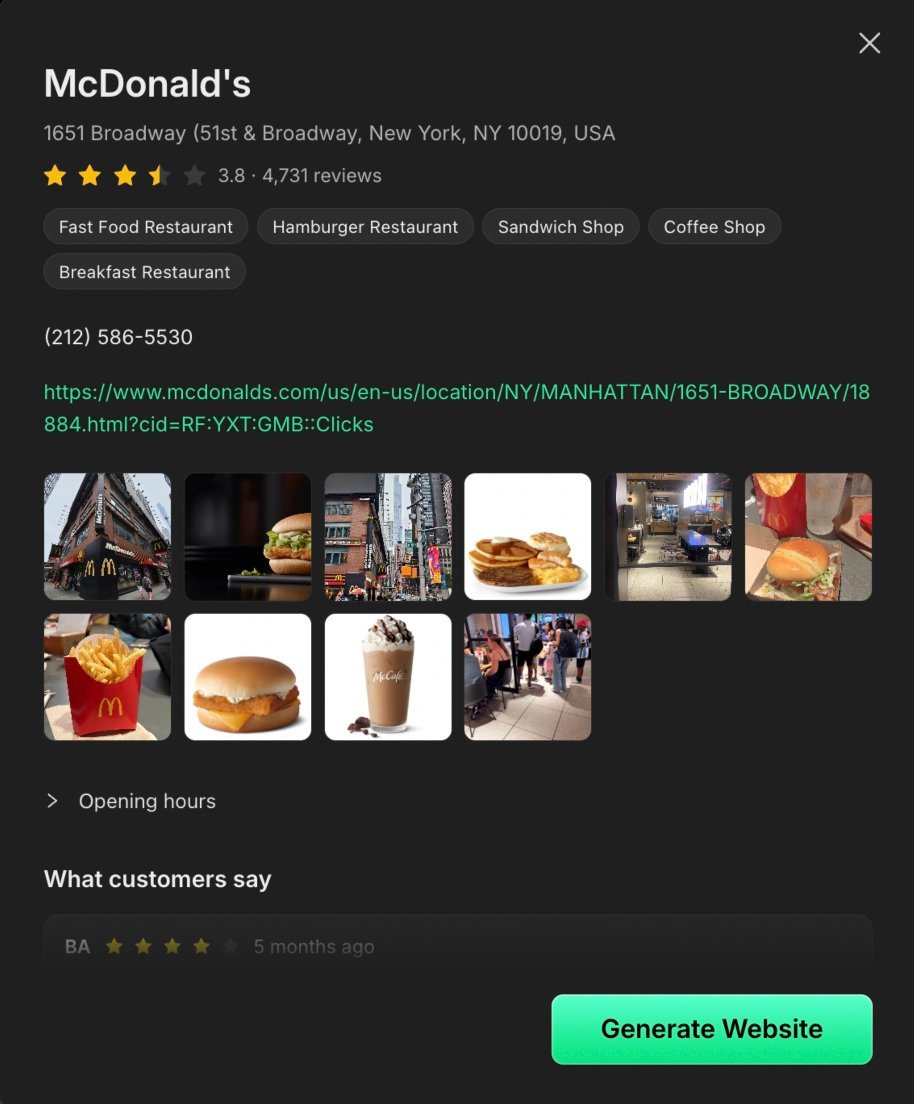
* **Business Information Preview**: review the imported information before generating the website to ensure the correct business has been selected.
* **One-Click Website Generation**: click **Generate Website** to create an editable, full-stack business website.
* **Automatic Content Creation**: turn existing business information, images, and customer reviews into structured website content.
* **No Coding Required**: create and customize a professional business website without coding or web design experience.
***
## Information That May Be Imported
Depending on what is publicly available on Google Maps, the preview may include:
* Business name and categories
* Address and phone number
* Rating and review count
* Business website
* Opening hours
* Business photos
* Customer reviews
***
## How It Works
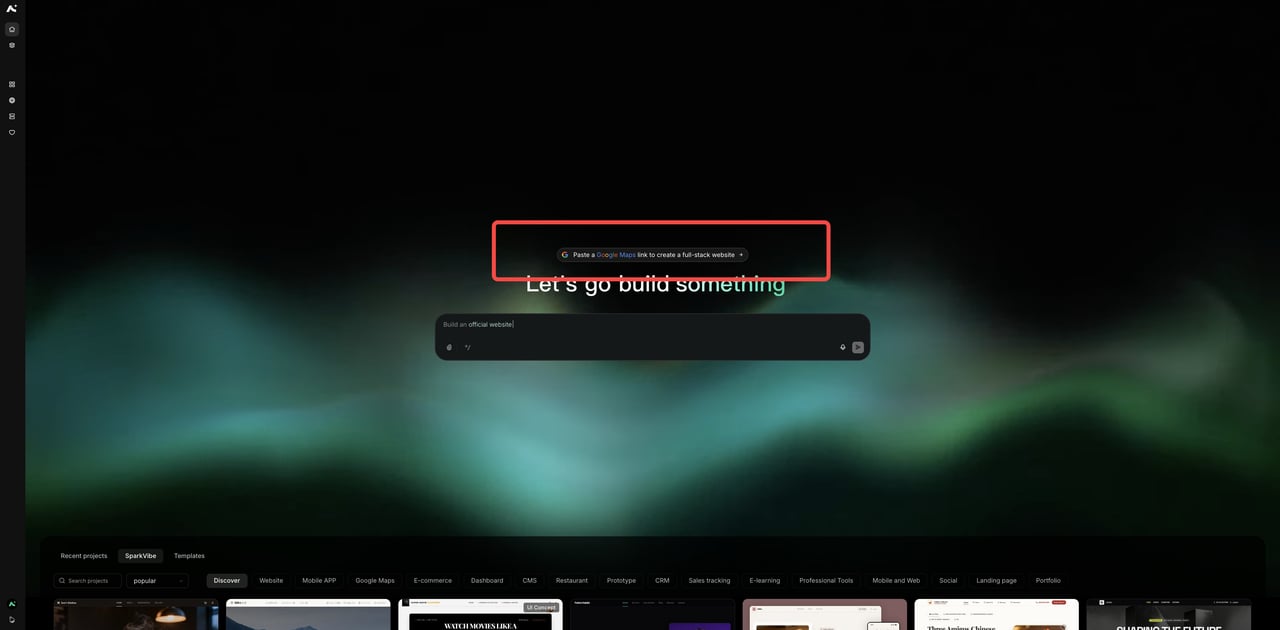
After logging in, click **Paste a Google Maps link to create a full-stack website** above the input box on the AutoCoder homepage, or use the direct-access link at the end of this page.
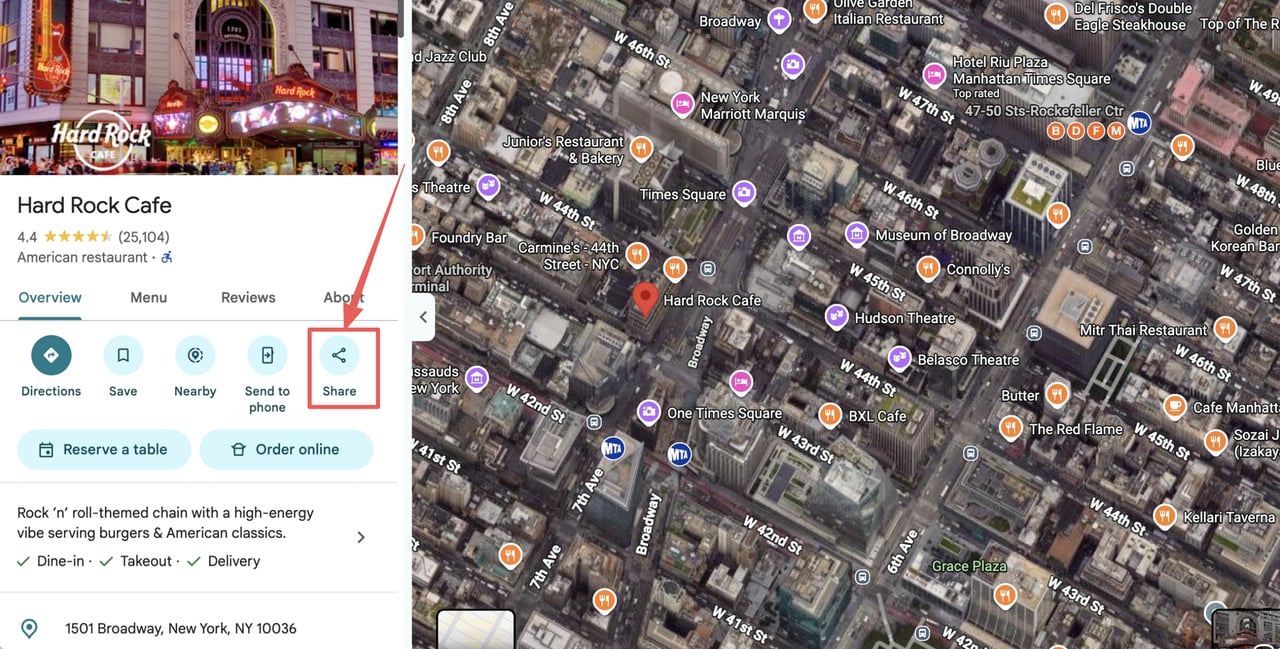
 Open the specific business listing you want to build a website for.
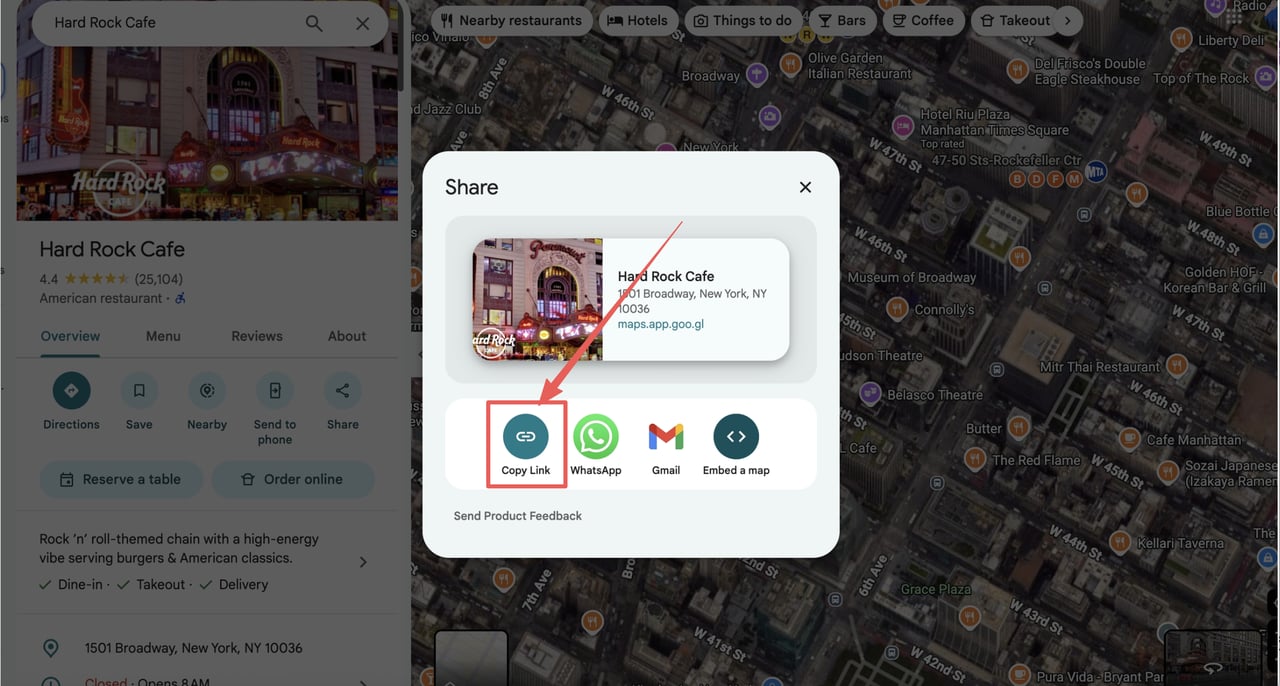
On the listing, select **Share**, then **Copy link**.
Open the specific business listing you want to build a website for.
On the listing, select **Share**, then **Copy link**.
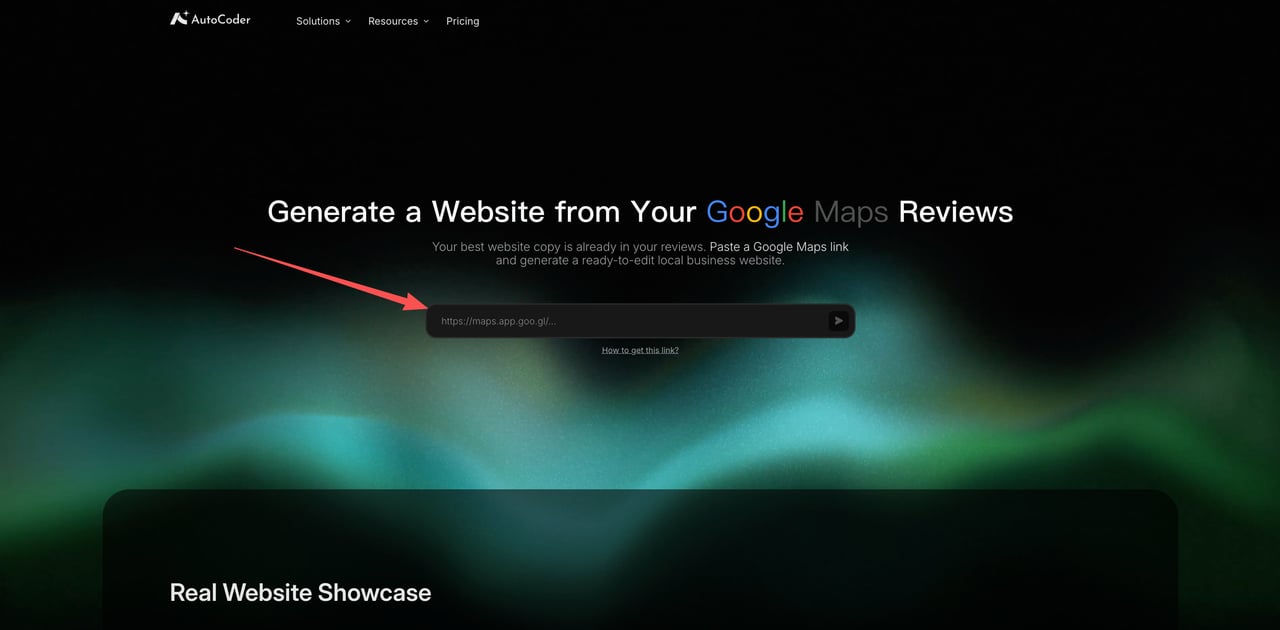
 Paste the copied Share link into the input field on the generator page.
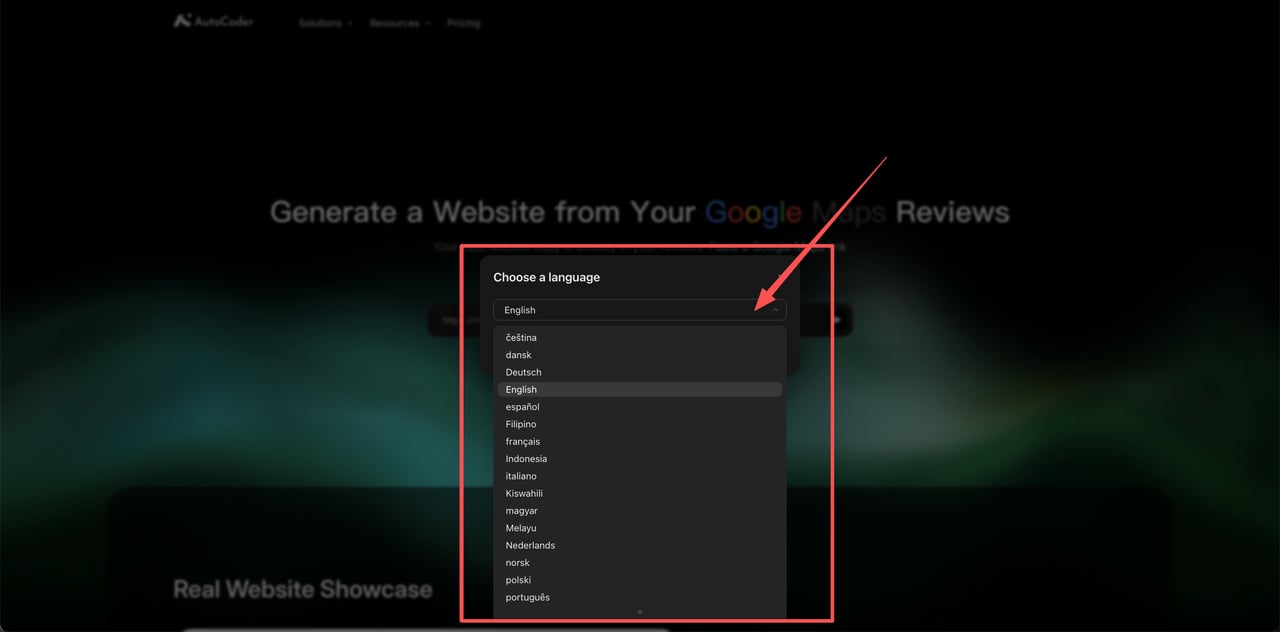
Select the language for the generated website from the dropdown.
Paste the copied Share link into the input field on the generator page.
Select the language for the generated website from the dropdown.
 Confirm that the preview shows the correct business, with its details, photos, opening hours, and customer reviews.
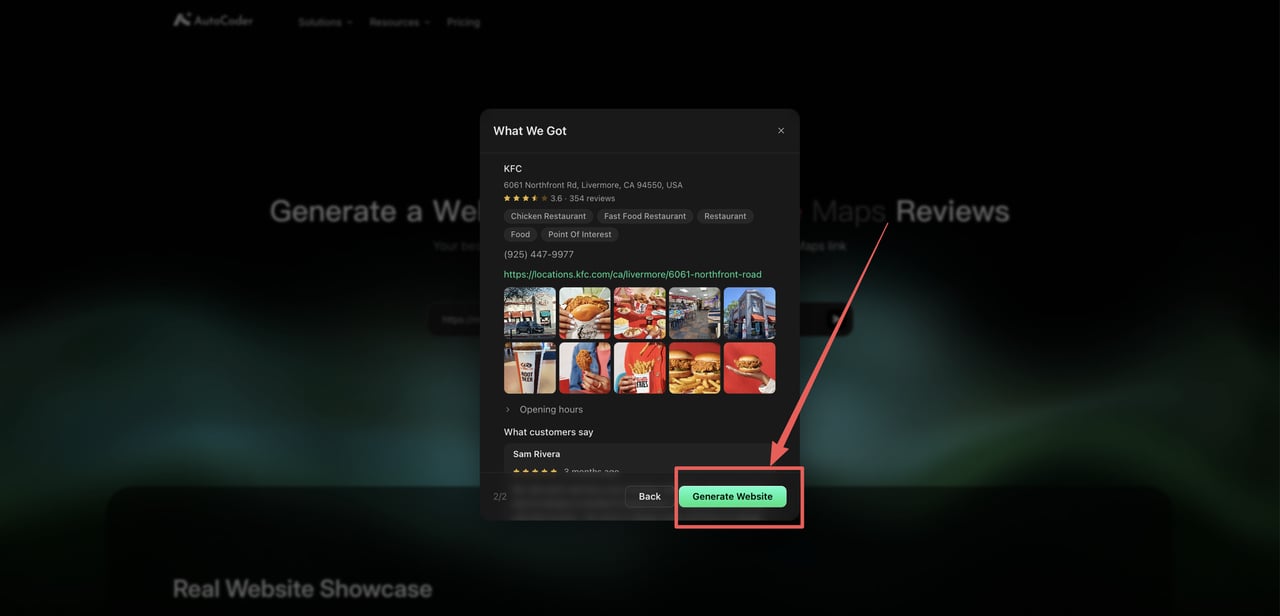
 Select **Generate Website** to create the editable, full-stack project.
 Please use the Share link from a specific business listing rather than a search-results page, directions link, or the general Google Maps homepage.
**Direct access:** [https://www.autocoder.cc/en/google-maps-generator](https://www.autocoder.cc/en/google-maps-generator "Open the AutoCoder Google Maps Website Generator")
Please use the Share link from a specific business listing rather than a search-results page, directions link, or the general Google Maps homepage.
**Direct access:** [https://www.autocoder.cc/en/google-maps-generator](https://www.autocoder.cc/en/google-maps-generator "Open the AutoCoder Google Maps Website Generator")