

Google Signup
Add Google Sign-In to your AutoCoder app and let users securely authenticate using their Google accounts. AutoCoder supports Google Authentication out of the box, making it easy to add a trusted and familiar login experience without building your own authentication flow. Google Authentication in API Hub can be configured in two ways: Managed by AutoCoder: AutoCoder manages the OAuth client, credentials, redirect handling, and ongoing security updates for you. This is the default and easiest way to get started. Your own credentials: Connect OAuth credentials from your own Google Cloud project, giving you full control over credential management, security policies, and key rotation.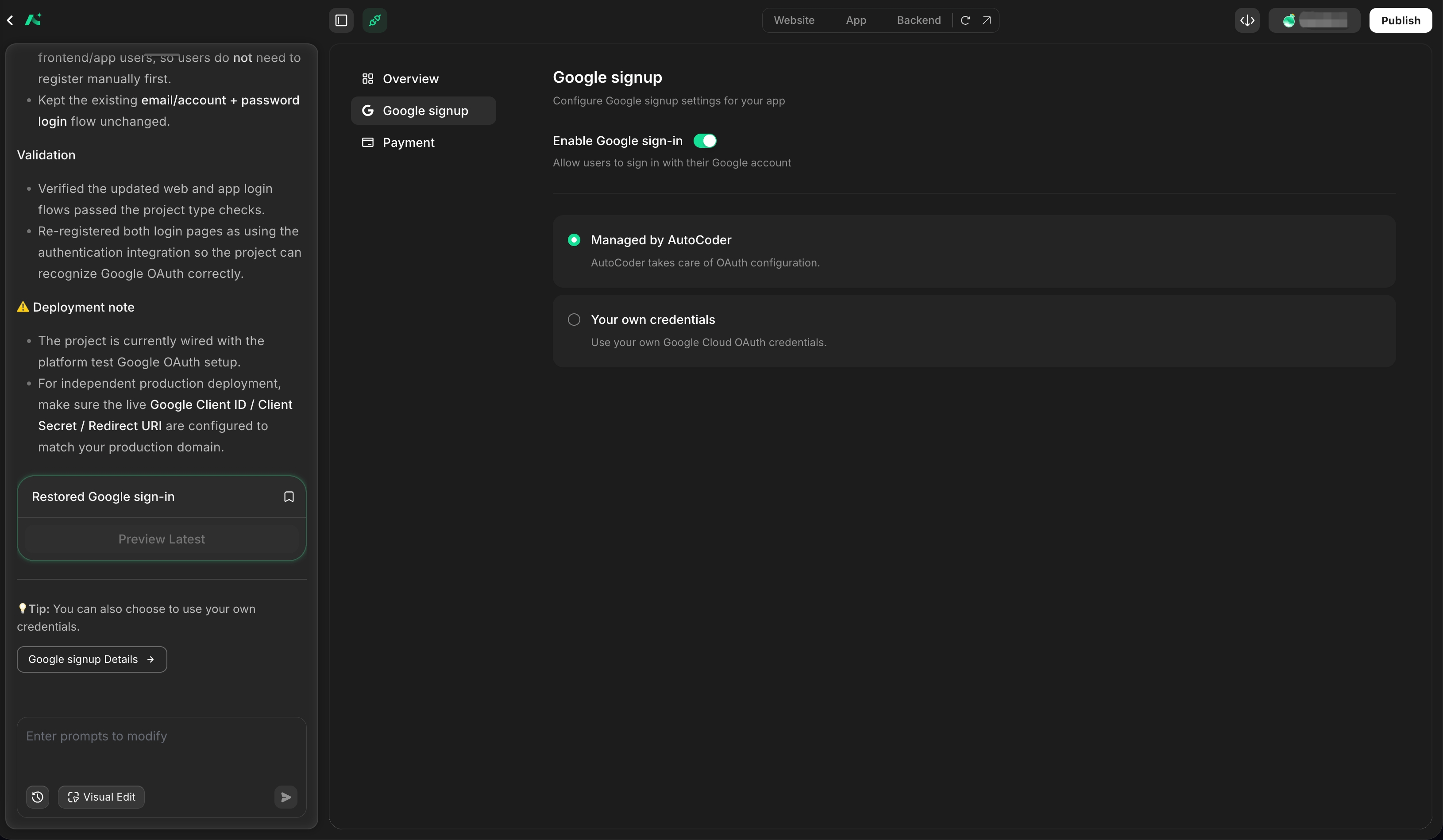
Payment
Enable payment in your AutoCoder app using built-in payment integrations. AutoCoder supports subscriptions, one-time payments, usage-based billing, and cryptocurrency payments through Stripe, Clink, or cryptocurrency payment integrations. AutoCoder handles the payment lifecycle, including checkout UI, payment order creation, webhook processing, transaction verification, entitlement management, automated fulfillment, and environment separation for testing and production. AutoCoder supports three payment options:Stripe
A flexible payment infrastructure for global businesses.- Supports subscriptions, one-time payments, and usage-based billing
- Extensive APIs and developer tools for custom integrations
- Supports 100+ payment methods worldwide
- Suitable for SaaS, marketplaces, e-commerce, and enterprise applications
- Pay-as-you-go pricing model
- Merchants are responsible for tax, compliance, and billing management unless additional Stripe products are used
Clink
A modern payment and billing platform built for AI-native and SaaS businesses.- Supports subscriptions, usage-based billing, and recurring payments
- Built-in tax handling and compliance management
- Supports 135+ currencies and 100+ local payment methods
- Intelligent payment routing and automatic retry mechanisms improve payment success rates
- Unified platform for payments, billing, subscription management, and customer portals
- Ideal for SaaS founders and global digital businesses seeking lower operational complexity
Cryptocurrency Payments
A complete cryptocurrency payment flow for generated websites and applications, from checkout and on-chain verification to automated fulfillment and transaction management.- Supports USDT, USDC, BTC, and ETH payment options
- Displays compatible networks, payment amounts, QR codes, receiving addresses, and expiry times
- Tracks on-chain confirmation progress and payment status
- Supports Pending, Successful, Failed, and Expired payment states
- Automatically triggers business actions after successful payment
- Supports use cases including content access, membership activation, booking confirmation, and order fulfillment
- Provides transaction records, payment details, timestamps, and operational visibility from the admin side
Payment Lifecycle
AutoCoder connects the payment process with your application’s business logic: Create Order → Customer Pays → Verify Payment → Confirm Transaction → Trigger Business Action This allows successful payments to automatically unlock content, activate memberships, confirm bookings, fulfill orders, or trigger other application workflows. Payment functionality supports both test and live environments. In the preview environment, transactions use test payment methods and no real money is charged. After the project is published, transactions are processed in the live environment using the configured payment integration.Testing
AutoCoder provides a sandbox environment to test your payment flow before going live.- Purchasing goods in your project
- Use the following test card for payment, with any CVV and an expiration date that does not expire.
- 4242 4242 4242 4242 — Successful payment
- 4000 0000 0000 3220 — 3D Secure authentication
- 4000 0000 0000 0002 — Declined payment
- Check transaction records
Go Live
- Add payment logic and complete the test
- Fill in the API Key for the Live environment
- Publish your project